
What You Will Get
This guide explains dedicated servers from scratch: what one is, how it differs from a VPS and shared hosting, what it costs, what it is actually good for, and — most importantly — whether you need one. Short version: most people do not, and the ones who do usually know already. But understanding the difference will make you a better buyer at every level of hosting, because the VPS market borrows dedicated-server language constantly.
No technical background is assumed. If you know what a website is and have heard of a VPS, you have enough context. If you have not read our what is a VPS guide yet, it is a useful five-minute companion to this one — a dedicated server is best understood as the thing a VPS is a slice of.
What Is a Dedicated Server?
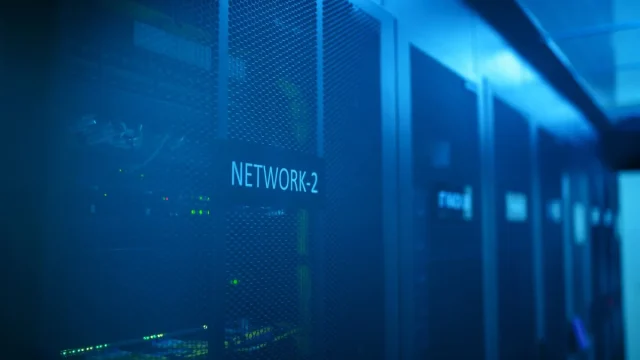
A dedicated server is a physical computer in a data center that is entirely yours. One machine, one customer. The CPU, the RAM, the disks, the network port — all of it belongs to your workloads and nobody else’s. When you rent a dedicated server, the provider racks a real machine, connects it to power and network, and hands you the keys (usually remote access, sometimes physical access by arrangement).
The industry also calls this bare metal, because your operating system runs directly on the hardware with no virtualization layer in between. That distinction matters, and it is the whole point of this guide.
Compare it with the two hosting types below it:
- Shared hosting: hundreds of websites on one physical server, all sharing the same CPU, RAM and disk. You get a folder and a control panel login. Cheap ($3–10/month), slow under load, and one bad neighbor can affect everyone.
- VPS (Virtual Private Server): one physical server is divided into several virtual machines by a hypervisor. Each VPS gets guaranteed resources (say, 4 vCPUs and 8 GB of RAM) and its own operating system, but the underlying hardware is still shared with other customers’ virtual machines.
- Dedicated server: the whole physical machine. No hypervisor, no neighbors, no sharing.
Think of it as housing. Shared hosting is a dormitory bunk. A VPS is an apartment — your own rooms, your own front door, but the building’s plumbing and electricity are shared. A dedicated server is a detached house on its own plot: everything is yours, and so is every repair.
How a Dedicated Server Differs from a VPS
The practical differences come down to four things: performance consistency, hardware control, scale, and price.
Performance consistency. On a VPS, your virtual CPUs are slices of physical cores, and the hypervisor decides how to share them. Most of the time that is invisible. But under sustained heavy load — or when a neighbor on the same host machine has a traffic spike — a VPS can slow down in ways that are hard to diagnose and impossible to control. A dedicated server has no neighbors. The CPU you bought is the CPU you get, at full speed, all the time. For workloads where consistent latency matters (game servers, trading systems, large databases), that predictability is the product.
Hardware control. On a dedicated server, you choose (or are assigned) specific hardware: the CPU model, the amount and type of RAM, the disk configuration (NVMe, SSD, HDD, RAID levels), and sometimes even the network card. Need 128 GB of RAM and 4 TB of NVMe in RAID 10? That is a dedicated-server order. On a VPS, you choose from the provider’s fixed tiers, and you never know what physical hardware sits underneath.
Scale. A VPS tops out where the provider’s tiers end — typically 16–32 vCPUs and 64–128 GB of RAM. A dedicated server starts around there and goes far higher: 64+ cores, hundreds of gigabytes of RAM, terabytes of storage. If your workload needs more than the biggest VPS tier, dedicated is the next step.
Price. This is the trade-off. A usable VPS costs $5–25/month. A usable dedicated server costs roughly $35–150/month at the entry level, and high-end machines run into the hundreds or thousands. You are paying for an entire machine, its power, its cooling, its rack space and its network — even the parts you are not using yet. Our VPS vs dedicated server comparison puts the price gap in concrete terms.
What Does a Dedicated Server Cost?
Entry-level dedicated servers from budget providers (Hetzner, OVHcloud, SoYouStart) start at roughly €35–60/month for an older-generation CPU, 32 GB of RAM and a mix of SSD/HDD storage. These are real machines at remarkable prices — Hetzner’s server auction in particular is famous for it — but they are usually previous-generation hardware with limited configuration options.
A mid-range dedicated server with a modern CPU (AMD EPYC or Intel Xeon), 64 GB of RAM and NVMe storage typically runs $100–250/month. High-end machines with many cores, 256+ GB of RAM and large NVMe arrays run $300–1,000+/month.
Prices here are approximate and change constantly — dedicated-server pricing is less standardised than VPS pricing, and the same machine can cost very different amounts from different providers. Always compare the exact CPU model, RAM type and disk configuration, not just the headline price: a “32 GB server” with a ten-year-old CPU is a worse machine than a “16 GB server” with a current one.
There are also costs beyond the monthly fee. Setup fees are common on dedicated servers (sometimes waived during promotions). Bandwidth overage can apply on metered plans, though most providers include generous allowances or unmetered traffic on a fixed port speed. And unlike a VPS, a dedicated server usually has a minimum contract term — monthly billing exists, but the best prices require 12 months.
What Are Dedicated Servers Used For?
Dedicated servers are not a general-purpose product. They are for workloads where a VPS genuinely runs out of room:
- High-traffic websites and stores. A site doing millions of page views a month, or a WooCommerce store with heavy checkout traffic, can outgrow even a large VPS. A dedicated server gives it the CPU and RAM headroom to breathe.
- Game servers. Minecraft, ARK, Rust, Counter-Strike — game servers are sensitive to CPU latency and benefit enormously from dedicated cores. A VPS with shared cores can stutter under player load; a dedicated machine does not.
- Large databases. A database with hundreds of gigabytes of data and heavy query load wants fast local NVMe storage, lots of RAM for caching, and consistent disk I/O — all things a dedicated server provides better than a shared virtual disk.
- Video encoding and rendering. CPU-intensive batch work that runs for hours is the worst case for a VPS (shared cores, possible throttling) and the best case for dedicated hardware.
- Compliance and isolation requirements. Some industries and contracts require data to sit on hardware that is not shared with other customers. A dedicated server satisfies that requirement by definition.
- Virtualization hosts. Some users rent one big dedicated server and run their own VPSs on it with Proxmox or VMware — effectively becoming their own mini cloud provider. This is advanced, but it is a legitimate and popular use.
Notice what is not on the list: a personal blog, a small business site, a side project, a VPN, a development server. All of those run happily on a $5–15 VPS. If your site fits on a VPS, a dedicated server is money spent on capacity you will not use.
Managed vs Unmanaged Dedicated Servers
Like VPS hosting, dedicated servers come managed and unmanaged — and the distinction matters more here, because there is more to manage.
Unmanaged is the default at budget providers: you get the machine, an OS install (or a rescue system to install your own), and remote access. You handle updates, security, monitoring, backups and every software problem. The provider handles the hardware — if a disk fails, they replace it. Everything else is yours. This is the right choice if you are a confident Linux administrator.
Managed dedicated servers add a support team that handles the OS, patching, monitoring, security and backups — sometimes the application layer too. Managed dedicated hosting costs roughly double the unmanaged price for the same hardware, and it is the right choice for a business that needs the hardware but does not employ a sysadmin. Our managed vs unmanaged VPS guide explains the same trade-off at the VPS level; the logic is identical, the numbers are bigger.
One practical note: on an unmanaged dedicated server, you are also responsible for the hardware-level details a VPS hides from you — RAID monitoring, firmware updates, and knowing what to do when a disk reports errors. If that sentence made you uneasy, you want managed, or you want a VPS.
The Hidden Costs and Gotchas
Dedicated servers have failure modes that VPS users never encounter:
- Hardware fails. Disks die, RAM develops errors, power supplies fail. Good providers monitor this and replace parts under SLA, but a disk failure on a server without RAID means downtime and potential data loss. Always run RAID for anything important, and always keep off-server backups — the Strasbourg fire that destroyed an OVHcloud data center in 2021 is a reminder that even the building can fail.
- Provisioning takes time. A VPS deploys in minutes. A dedicated server can take hours to a few days to provision, because someone has to physically rack and cable a machine (or at least allocate one from stock). Do not plan a launch around same-day dedicated delivery.
- Scaling is not instant. A VPS scales with a reboot. A dedicated server scales when the provider physically adds RAM or disks — which means a maintenance window, and sometimes a migration to a bigger machine. Plan capacity ahead.
- You pay for idle capacity. A VPS lets you buy exactly the tier you need today and resize tomorrow. A dedicated server is a fixed box: if you buy 64 GB of RAM and use 16 GB, you are paying for 48 GB of empty memory. Right-size carefully.
Do You Need a Dedicated Server?
Work through this checklist honestly:
- Is your VPS consistently above 70–80% CPU or RAM? If not, you do not need dedicated hardware — you need a bigger VPS tier, or better caching.
- Have you already tried the largest VPS tier? A 16 vCPU / 64 GB VPS handles almost everything a small or medium business can throw at it. If you have not tried it, try it first — it is cheaper and faster to set up.
3 Does your workload need specific hardware? A GPU, a particular CPU feature, terabytes of local NVMe, a 10 Gbit/s port — these are dedicated-server reasons. - Does compliance require physical isolation? If a contract or regulation says “no shared hardware,” a VPS cannot satisfy it no matter how large.
- Can you manage it? An unmanaged dedicated server in the hands of someone who cannot run Linux is a security incident waiting to happen. Budget for managed service if you cannot do it yourself.
If you answered yes to 2, 3 or 4, start shopping. If you answered no to all of them, a VPS is the right answer — our how to choose a VPS guide will get you there, and our best VPS under $10 guide lists servers that cover 95% of real-world needs.
Dedicated Server vs VPS vs Cloud: A Quick Comparison
| Shared hosting | VPS | Dedicated server | Cloud (AWS/GCP) | |
|---|---|---|---|---|
| Hardware | Shared | Shared (virtualised) | Entirely yours | Shared (virtualised) |
| Typical price | $3–10/mo | $5–50/mo | $35–300+/mo | Pay per use |
| Setup time | Minutes | Minutes | Hours–days | Minutes |
| Scaling | Upgrade plan | Resize/reboot | Hardware change | Instant, automatic |
| Best for | First website | Most sites & apps | Heavy, steady loads | Variable, spiky loads |
| Skill needed | None | Basic Linux | Confident Linux | Cloud expertise |
The cloud column deserves a note: for workloads that spike unpredictably, cloud auto-scaling beats a dedicated server, because you pay for peak capacity only during the peak. For workloads that are heavy all the time, a dedicated server is usually cheaper than the equivalent cloud spend — a flat $150/month beats a meter that never stops running. That is the real economic divide: steady load favours dedicated, spiky load favours cloud.
Frequently Asked Questions
What is the difference between a dedicated server and a VPS?
A VPS is a virtual machine sharing one physical server with other customers’ virtual machines. A dedicated server is an entire physical machine used by one customer only. Dedicated gives you consistent performance, hardware control and higher ceilings; VPS gives you lower cost, instant setup and easy scaling.
How much does a dedicated server cost?
Entry-level machines from budget providers start at roughly €35–60/month. A mid-range server with a modern CPU, 64 GB of RAM and NVMe storage runs about $100–250/month. High-end machines cost $300–1,000+/month. Prices vary widely by provider and hardware — always compare the exact CPU, RAM and disk specs.
Do I need a dedicated server for WordPress?
Almost certainly not. WordPress runs well on a VPS up to very high traffic levels — a 4 vCPU / 8 GB VPS handles most busy sites. Only sites with millions of monthly page views, heavy WooCommerce traffic, or specific compliance needs should consider dedicated hardware.
What is bare metal hosting?
Another name for a dedicated server: your operating system runs directly on the physical hardware (“bare metal”) with no hypervisor or virtualization layer in between. The terms are interchangeable in most provider marketing.
Can I install anything on a dedicated server?
Yes — you get full root access and can install any operating system and software the hardware supports, including running your own virtualization platform (Proxmox, VMware) to split the machine into your own VPSs.
Is a dedicated server more secure than a VPS?
It removes one risk — there are no other customers on the hardware — but it does not make you secure by itself. You are still responsible for the OS, firewall, updates and application security. An unpatched dedicated server is less secure than a well-maintained VPS.
The Bottom Line
A dedicated server is a whole physical machine, entirely yours: consistent performance, full hardware control, and room to grow past the biggest VPS tier. It costs $35/month and up, takes hours to days to provision, and needs a confident administrator (or a managed plan). Most sites never need one — a $5–25 VPS covers 95% of real-world workloads. Buy dedicated when your VPS is genuinely maxed out, when you need specific hardware, or when compliance demands physical isolation. Until then, the VPS is the smarter spend.

Leave a Reply